
 How a collected trigger fires
For each collected factor the app keeps a daily value, from your wearable, your phone, your food or the weather for your city. Once an hour it checks that value against two lines: a fixed threshold, and two standard deviations from your own 14-day baseline. If the value crosses either line, the trigger is added to that day once and marked as automatic. The check runs every hour, so a trigger can take up to an hour to show. Low values of things that add up through the day, such as steps or caffeine, are only checked in the evening, and your own baseline starts after seven days of data.
 Flagged today
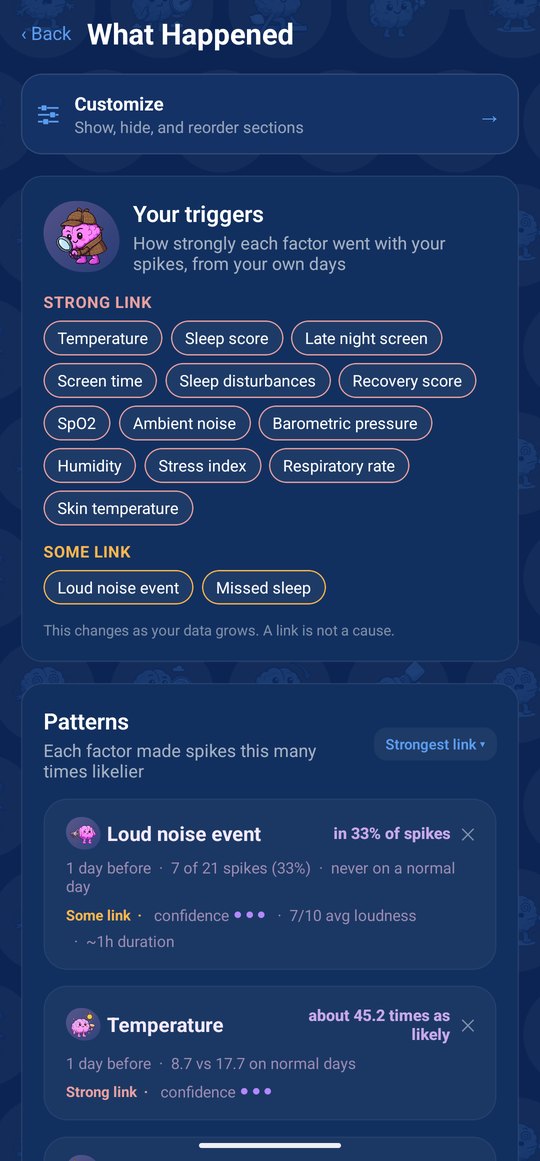
On days the background data noticed something, Home shows a Flagged today card: up to three items, such as short sleep, a loud evening, a pressure drop or a stress rise, each marked high, mild or low, with how many days it has been active. It is a list of what the app is comparing, not a score. Whether any of it matters for your spikes is what Insights works out over time. Flagged today is part of Premium.
 The ones you add yourself
No sensor knows you went to a gig or clenched your jaw all afternoon. Those are manual: loud noise event, concert or club, headphones long or loud, silence or a quiet room, stress spike, blocked or full ear, cold or flu, flight, neck or jaw tension, clenching or grinding and missed sleep. A Medicines group holds new medication, high-dose aspirin, ibuprofen or naproxen, daily paracetamol, a water tablet, quinine or tonic water, an antibiotic course, and an antidepressant or sleeping tablet that was started, stopped or changed. Add one from Quick Log on the day it happens, with or without a spike, or on the triggers page of the spike log.
Triggers you add by hand now and then are shown as a share of your spikes, because there are too few days to compare fairly. Collected factors have a value every day, so they get the stronger test: the days around a spike against all your other days.
Switch off what you do not want
Every collected factor has its own switch in Data, and Manage Items holds the full trigger list. Anything you switch off, or never grant a permission for, simply stays empty while the rest carries on.
Where it lives in the app
Flagged today on Home shows up to three things the background data noticed today. The triggers page of the spike log and the Trigger tile in Quick Log hold the manual ones. Manage Items holds the full trigger list, Data holds a switch for every collected factor, and Monitor shows the daily numbers behind them.
What it needs from you
A few optional permissions, each with a reason: location for weather and altitude, at city level only; the microphone for noise levels, and only the level is sent; on Android, usage access for screen time and sleep timing. The manual triggers are yours to add when they happen. Anything you skip simply stays empty. Flagged today and the verdicts in Insights are part of Premium.