
 How the readings work
With microphone access, the phone listens for up to a minute at a time and keeps three numbers: the average, the loud end and the peak. No audio goes to your account. On Android the system mutes the microphone for apps in the background, so most readings come while the app is open; an iPhone can take some in the background too.
A phone microphone is not a calibrated sound meter, so the app does not claim a dB figure for the room. Instead it compares each day with your own average of the last 14 days. A loud day means loud for you.
 Noise high, noise low
Noise high and Noise low are collected triggers: a day about 9 dB louder, or quieter, than your usual. Like every other trigger they are tests. A quiet day can matter as much as a loud one, which is why silence or a quiet room is in the manual list too.
 Loud days in your patterns
The Loud days card on What Happened counts the loud days in the last 90 days out of all the days with readings, and shows whether Noise high went with your spikes, tested the same way as every other trigger. If there is no link between loud days and your spikes, it says so.
Where it lives in the app
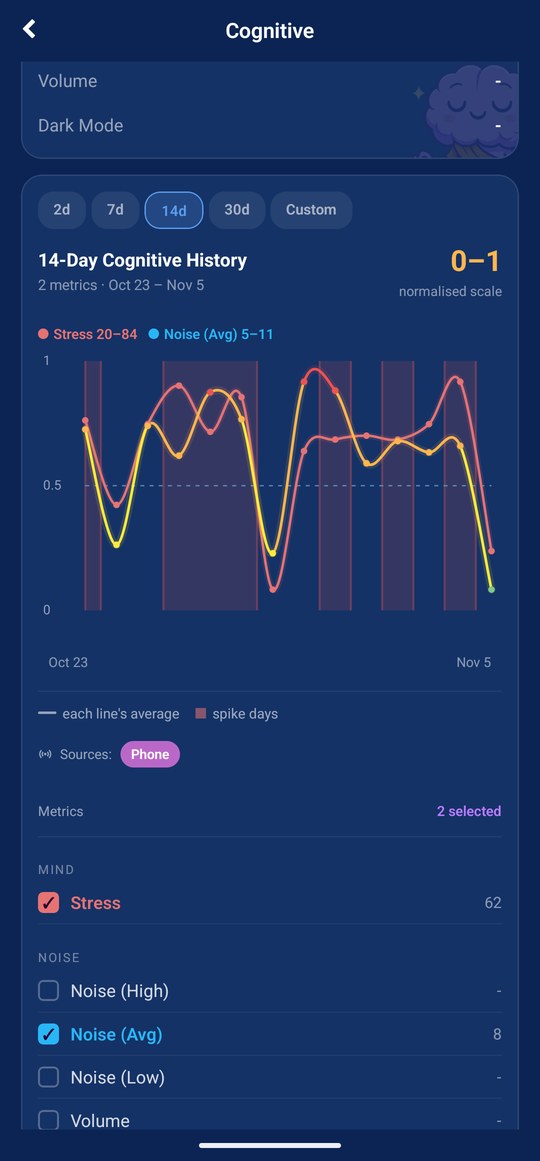
The Loud days card on What Happened in Insights, with the count for the last 90 days and the Noise high result. Daily noise sits under Monitor, in Cognitive, Noise Sampling has its switch in Data, and the manual noise triggers are in Quick Log and the spike log.
What it needs from you
Microphone access, granted during setup or later in Data. Readings come most often while the app is open; Android mutes background microphones, an iPhone allows some. Only levels are kept. Nothing else to do: the comparison with your spikes runs on its own. The Loud days card is in Insights, which is part of Premium.